
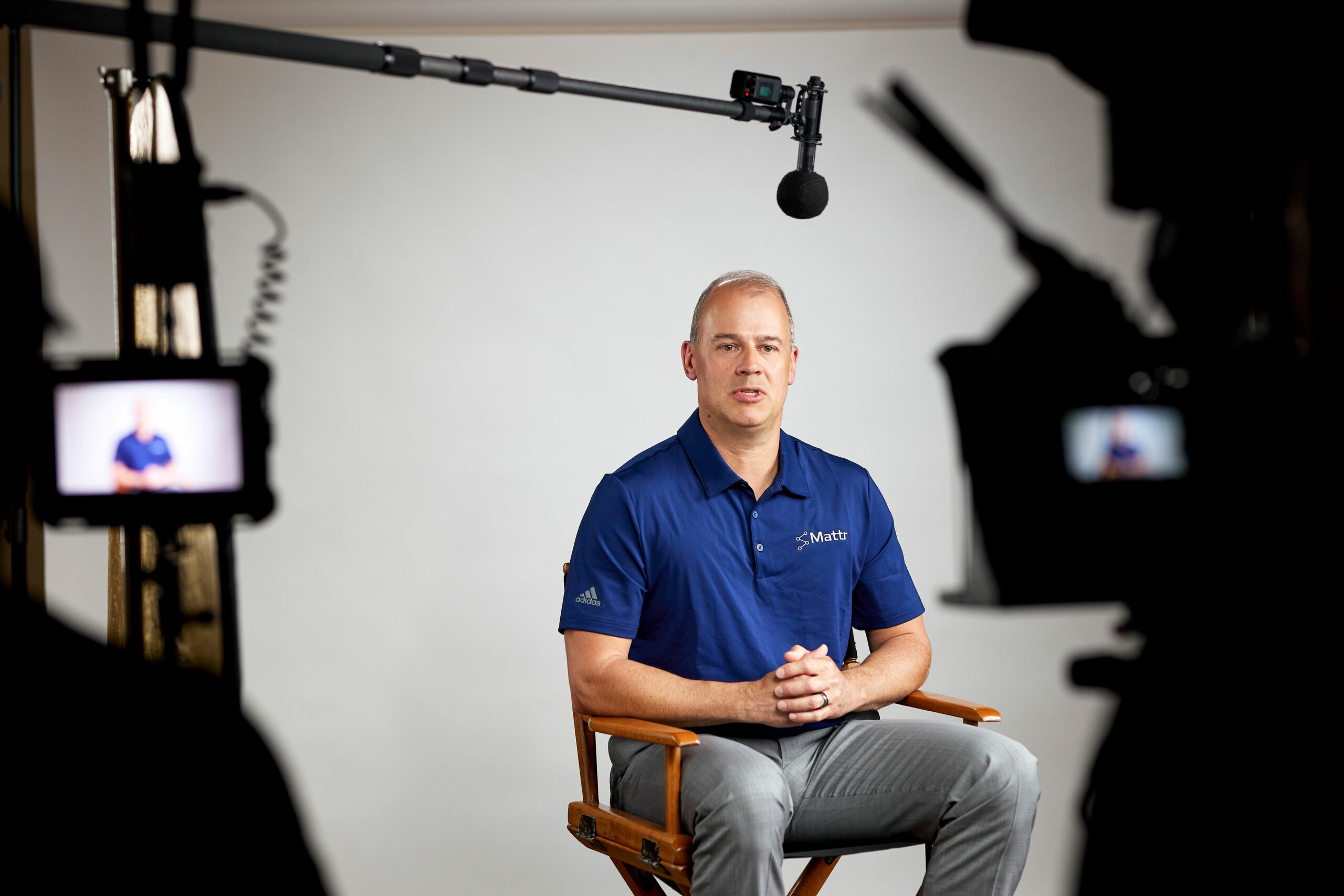
Stepping in front of a camera for the first time? You are not alone in wondering what to wear. It is one of the most common questions we get at Lapse Productions before a shoot, and one of the easiest things to get right with a little preparation. After hundreds of corporate interviews, testimonials, and company profile shoots, we have seen exactly which outfits look great on camera and which ones cause problems in the edit. This guide covers everything: the best colors, the patterns to avoid, how to dress for a lav mic, how to hold yourself and deliver your answers, and what changes on a green screen or a video call.
The Quick Cheat Sheet
If you only read one section, make it this one.
Wear this:
- Solid, mid-tone colors (navy, forest green, burgundy, soft blue)
- Matte, smooth fabrics (cotton, wool blends, soft knits)
- Well-fitted, comfortable clothing you have worn before
- Layers you can add or remove (blazer, cardigan)
- A structured top with a collar or lapel (makes mic placement easy)
Avoid this:
- Bright white and pure black
- Thin stripes, herringbone, checks, and busy patterns (they shimmer on camera)
- Shiny or reflective fabrics (satin, sequins, silk)
- Large, noisy, or dangling jewelry
- Logos and slogans (unless it is your own brand)
- Anything green if you are shooting on a green screen
In this guide
- Understanding camera dynamics
- Color choices
- Patterns and textures
- Dressing for the microphone
- Fit and comfort
- Accessories, glasses, and makeup
- Shooting on a green screen?
- Video calls and virtual interviews
- Body language and on-camera poses
- Delivery tips for speakers
- Preparation tips before the shoot
Understanding Camera Dynamics
Cameras do not see clothing the way the human eye does. Three factors change how your outfit reads on screen:
Lighting. Professional lighting is bright. Light colors can wash out and lose definition, while very dark colors lose detail and shape. Mid-tone colors hold up best under studio and location lighting alike.
Camera sensors and patterns. Fine, repeating patterns interact with the camera’s sensor to create the moire effect: a shimmering, wavy distortion that is distracting and nearly impossible to fix in post. This is why every video crew will tell you to skip the pinstripes.
Resolution. Modern cameras shoot in 4K and beyond, which means every wrinkle, lint speck, and stray pet hair shows up. A lint roller and a quick steam before the shoot go a long way.
Color Choices
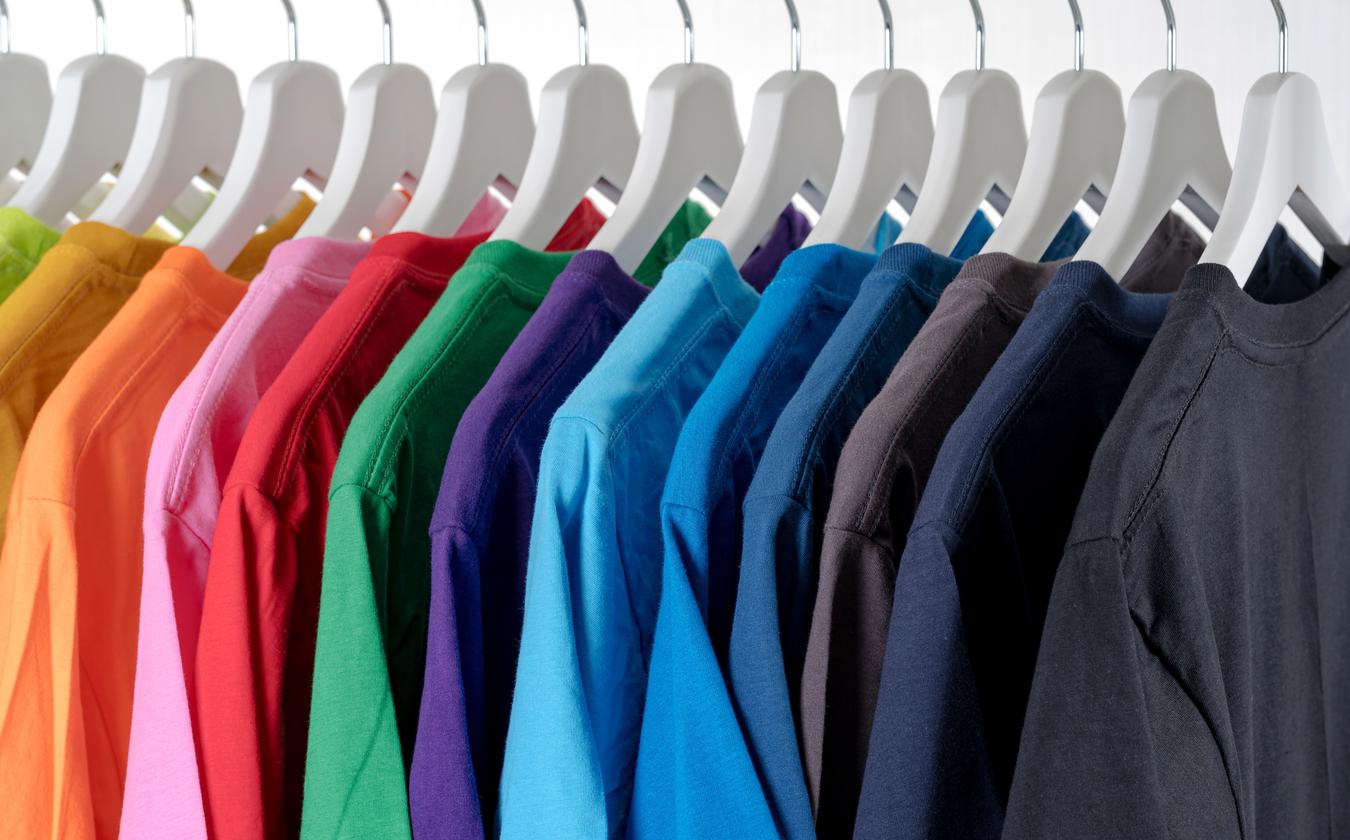
The right color keeps the focus on your face and your message.
Best colors to wear on camera:
- Solid, mid-tone colors. Blue, green, and muted pastels are easy on the camera and on the viewer’s eye.
- Rich, deep colors. Navy, burgundy, and forest green convey authority and photograph beautifully.
- Neutral tones. Grey, beige, and taupe give a subtle, sophisticated look that never competes with your face.
When in doubt, navy is the single safest choice for on-camera interviews. It flatters every skin tone, reads as professional, and works against almost any backdrop.
Colors to avoid:
- Bright white. It blows out under lights, forcing the camera to underexpose your face to compensate. If you love white, choose off-white or cream instead.
- Pure black. It absorbs light and flattens your shape on camera. Charcoal or deep navy gives you the same formality with more dimension.
- Vibrant reds and neons. Saturated colors can bleed on camera and cast color onto your skin.
Match the backdrop. If you know the interview background, pick a color that contrasts with it. A navy shirt against a navy wall makes you a floating head. If you are unsure, bring two options and let the crew choose on the day.
Patterns and Textures
Patterns. Solid colors are the gold standard. If you would rather not wear a solid, choose a large, subtle pattern. Small repeating details like thin stripes, herringbone, fine checks, and tight geometric prints are the main culprits behind the moire effect.
Textures. Smooth, matte fabrics absorb light evenly and look polished on camera. Cotton, wool blends, and soft knits all work well. Avoid anything shiny: satin, sequins, and glossy synthetics create hot spots and glare under lights.
A note on noisy fabrics. This is the tip almost nobody mentions. If you are wearing a lavalier (clip-on) microphone, and in most corporate interviews you will be, stiff or slippery fabrics like silk and nylon rustle against the mic with every movement. Soft cotton and knits are far quieter. Skip scarves and anything that drapes near your collar for the same reason.
Dressing for the Microphone
Since we are a production company, here is the insider view on how your outfit affects your audio:
Keep jewelry away from your collarbone. Necklaces and long earrings that swing near the mic will click and clack through your whole interview.
Wear something with structure. A collar, lapel, button placket, or neckline with some rigidity gives the audio tech a clean place to clip a lav mic. Thin, floppy t-shirt necklines are the hardest to mic.
Two pieces beat one. A jacket, cardigan, or blazer over a top gives the crew options for hiding the mic cable and the transmitter pack. Dresses without a waistband or pockets make pack placement tricky. It is doable, but worth knowing in advance.
Fit and Comfort
Clothes that fit well do double duty: they look sharper on camera and they make you feel more confident, which shows in your delivery.
- Layer for flexibility. Studio and office temperatures vary. A blazer or cardigan over a lighter top lets you adjust without changing your look.
- Aim for tailored, not tight. Too tight restricts movement and shows every shift in posture; too loose looks unkempt, especially seated.
- Sit down in it first. Most interviews are filmed seated. Jackets that fit standing can bunch at the shoulders when you sit, so try your outfit in an interview position before the shoot day.
- Choose breathable fabrics. Shoots run longer than people expect, and lights are warm. Cotton, linen blends, and knits keep you comfortable through a long setup.
Accessories, Glasses, and Makeup
Accessories: less is more. Small, matte, quiet pieces add personality without stealing focus. Skip anything large, shiny, or dangly, since it reflects light and interferes with audio.
Glasses. You do not need to take them off, but glare is real. Anti-reflective coating helps enormously, and a good crew will angle lighting to minimize reflections. Avoid transition lenses; they darken under bright lights and hide your eyes.
Makeup. The goal on camera is reducing shine, not transformation. A matte foundation or CC cream plus translucent powder keeps shine down under warm lights, and this applies to everyone: many male executives get a light powder touch-up on professional shoots, and it makes a visible difference. Keep eyes and lips neutral and defined, avoid shimmer and glitter, and bring blotting papers or powder for touch-ups during longer shoots.
Shooting on a Green Screen?
If your interview is being filmed on a green screen (or blue screen) for a virtual background:
- Do not wear green. Any green in your outfit will turn transparent when the background is keyed out. Same goes for blue on a blue screen.
- This includes accents: green patterns, jewelry with green stones, even reflective items that pick up green spill from the screen.
- Stick to the safe list above, solid mid-tones in matte fabrics, and you will key cleanly.
Your production team will tell you in advance if you are on a green screen. If you are not sure, ask.
What About Video Calls and Virtual Interviews?
The same rules apply on webcam, with a few adjustments:
- Contrast with your room, not a studio. Check what is behind you on camera and wear something that stands out against it.
- Avoid bright white even more strictly. Webcams have less dynamic range than cinema cameras, so white blows out faster.
- Dress fully, not just waist-up. You may need to stand mid-call, and a complete outfit genuinely changes how you carry yourself.
- Do a test recording. Open your camera app, record 30 seconds in your outfit at your desk, and watch it back. Lighting that looks fine in the mirror can look completely different on webcam.
Body Language and On-Camera Poses
Your outfit is half of looking good on camera. How you hold yourself is the other half. After hundreds of interviews, these are the three positions our crews coach every interviewee into:
- The engaged lean. Sit tall and lean about ten degrees toward your interviewer. On camera it reads as attentive and confident. Sitting bolt upright reads as stiff, and leaning back reads as checked out.
- The relaxed base. Shoulders down, back supported but not slumped, both feet planted on the floor. Ask for a fixed chair: swivel chairs invite rocking, and rocking is the most common thing we have to coach out mid-shoot.
- Natural hands. Rest them loosely in your lap and gesture the way you would in conversation. Keep gestures inside the width of your shoulders so they stay in frame.
Two more habits that make a visible difference: keep your eye line on the interviewer, not the lens, unless the director tells you otherwise, and reset your posture between takes. Avoid crossed arms, touching your face or hair, and checking your phone between questions, since cameras often keep rolling.
Delivery Tips for Speakers
How you say it matters as much as how you look saying it. These delivery habits give the editor great material to work with:
- Fold the question into your answer. If asked “why did you start the company,” begin with “we started the company because.” Your answer becomes a standalone soundbite, which is exactly what the edit needs.
- Slow down and pause. Speak about ten percent slower than feels natural and pause between thoughts. Pauses are not dead air, they are edit points.
- Restart instead of pushing through. If you stumble, stop, take a breath, and start the sentence again. The edit removes everything else, and nobody will ever see the flub.
- Know your points, not a script. Memorized scripts sound memorized. Know the three things you want to land and say them in your own words.
- Bring slightly more energy than normal. The camera flattens energy, so a level just above your normal conversation reads as natural on screen.
Keep water nearby off camera, and trust the crew. Making you look and sound your best is the job.
Preparation Tips Before the Shoot
- Bring a backup outfit. Spills happen, and sometimes an outfit clashes with the set in a way nobody predicted. A second option saves the day, and our crews always appreciate interviewees who bring choices.
- Pack a small kit: lint roller, blotting papers, powder, safety pins, and a portable steamer if you have one. Most professional crews carry these too, but it never hurts.
- Steam or iron the night before, and travel with your top on a hanger if you can. 4K is unforgiving with wrinkles.
- Hydrate, breathe, and review your key points. The best outfit in the world will not help if you are tense. A few deep breaths before the camera rolls does more than you would think.
Filming day itself is simpler than most people expect: the crew handles the setup, and we walk every interviewee through what happens before the camera rolls.
Planning a Video That Involves Interviews?
Dressing for an on-camera interview comes down to one principle: nothing you wear should compete with what you are saying. And if you are filming with a professional production company, you are not alone in this. A good crew will flag wardrobe issues before the camera rolls, light around your glasses, and make you look your best. That is part of the job.
This advice applies whether it is a testimonial, a company profile, or a recruitment video. Lapse Productions handles everything from prep to final cut, including helping your on-camera talent feel ready, through our full video production services.
Frequently asked questions
What is the best color to wear on camera?
Navy is the single safest choice: it flatters every skin tone, reads as professional, and works against almost any backdrop. Solid mid-tones like forest green, burgundy, and soft blue are close seconds. Whatever you choose, pick a color that contrasts with the background you will be filmed against.
What should you not wear on camera?
Avoid bright white and pure black, thin stripes and fine checks that shimmer through the moire effect, shiny fabrics like satin and sequins, large or noisy jewelry, and clothing with logos or slogans. On a green screen, avoid anything green, including patterns and accessories.
Can you wear glasses on camera?
Yes. You do not need to take your glasses off for an interview. Anti-reflective coating reduces glare significantly, and a professional crew will angle the lighting to minimize reflections. The one type to avoid is transition lenses, which darken under bright studio lights and hide your eyes.
What should you wear on a green screen?
Solid, mid-tone colors in matte fabrics, and absolutely nothing green: green clothing, patterns, or accessories turn transparent when the background is keyed out. The same rule applies to blue on a blue screen. If you are not sure what screen you are filming against, ask your production team in advance.
What should you wear for a video call interview?
The same rules as any on-camera interview: solid mid-tone colors, matte fabrics, minimal accessories. Contrast with your room rather than a studio, avoid bright white even more strictly since webcams blow it out faster, dress fully rather than waist-up, and do a 30-second test recording at your desk before the call.
About the author
Dario Nouri is a Producer and Co-Founder of Lapse Productions, a Toronto video production company creating results-based content since 2014. He also hosts Creatives Grab Coffee, a podcast on the business of video production.
Guidance reflects Lapse Productions’ experience across hundreds of corporate interview, testimonial, and company profile shoots, current as of August 2026.